Introduction: The Golden Rule of Building User Trust
When you launch a SaaS project, one of the cornerstones of success is ensuring your users trust you and the service you provide. When a potential user lands on your site, whether from a Reddit post, a Google Ad, or a link in a forum, the first thing they'll try to gauge is the project's sustainability. The most transparent way to build this trust is by showing them exactly how consistently your service runs.
This is precisely where a Status Page comes into play. This page, which instantly shows your users the current status of all your services, reinforces trust in your project and strengthens your professional image.
However, for an "indie hacker" or a new entrepreneur, paying for every tool can be challenging, especially in the early months. Keeping expenses to a minimum during the post-MVP phase is critical. Fortunately, tools like RobotAlp, which offers a very generous freemium model, come to the rescue. Having used RobotAlp reliably on my own sites for about two years, I'll now show you how to create a professional status page in just 5 minutes, without spending a single penny.
Sign Up for RobotAlp
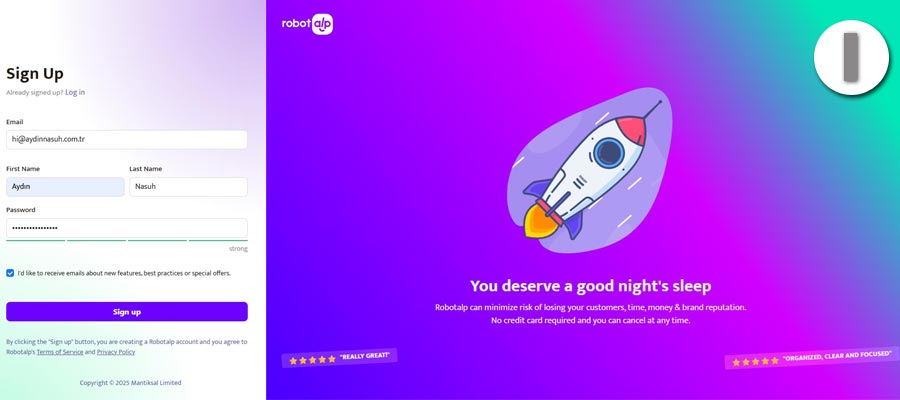
First, head over to the RobotAlp website to sign up and create your free account. The registration process is straightforward and will only take a few moments.
RobotAlp registration screen
Navigate to the Status Page Tool
After logging into your account, click on the "Status Pages" tab in the left-hand menu to proceed. Thanks to RobotAlp's user-friendly interface, you'll find what you're looking for with ease.
Navigating to the Status Pages section in the RobotAlp dashboard
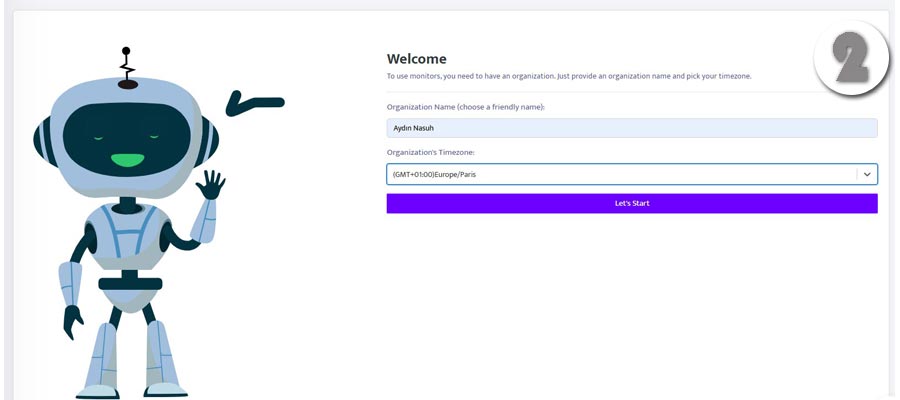
Create and Customize Your Page
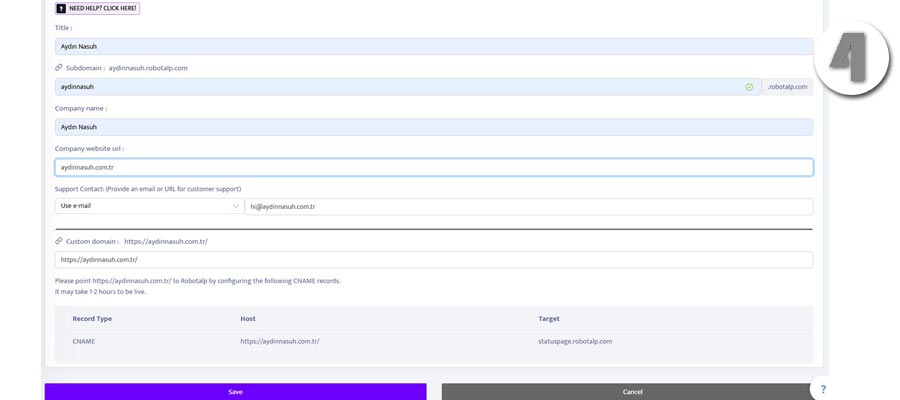
On the next screen, click the "Add Status Page" button. In the form that appears, enter your project's name, the subdomain you want to appear in your status page URL, and your website's address, then save.

Filling out the details to create a new status page
On the free plan, your status page is created on a RobotAlp subdomain (e.g., your-project.robotalp.com). If you want to use your own custom domain (like status.yoursite.com), you'll need to upgrade to a paid plan. However, using the RobotAlp subdomain is a great starting point that offers a professional look and is completely free.
Your Status Page is Live!
The moment you hit save, your status page is published. That's it! You now have a page where you can transparently display the real-time status of your services, past incidents, and your uptime rates.
The newly created status page is now visible in the list
You can see the sample page I created here: aydinnasuh.robotalp.com
Why You Should Add This Page to Your Footer
I strongly recommend adding the link to your new status page to one of the most visible parts of your website: the footer. Today's SaaS user base is often a savvy community of people who work in the industry or are developing projects themselves. This audience will naturally be curious about your site's reliability and its uptime rate.
A "Status" link in your footer:
- →Demonstrates Transparency and Trust: It shows your users how open you are with them.
- →Signals Professionalism: It proves that you take your project seriously and are confident in your infrastructure.
- →Enables Proactive Communication: In the event of an outage, users will know they can check this page for updates without needing to contact you, reducing your support load.
This small but effective step will play a significant role in strengthening your project's image.